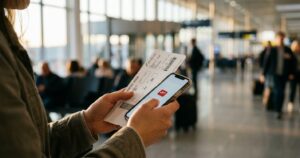
You’re walking back to where you’re staying, late, in a city you don’t know well. Nothing has happened yet. But everything you’d need if something did is sitting in your pocket on one small device: your bank, your email, your bookings, your ID scans, your way of proving who you are. That’s why password safety for solo travelers matters more than most of us think.
This post contains affiliate links. If you sign up through one, I may earn a small commission at no extra cost to you. It’s one of the ways I keep this blog running. I only recommend things I’d actually use myself.
Most of the time, you don’t think about that at all. I didn’t either, until one evening in Athens made it very real for about ten seconds.
The Night Someone Almost Took My Travel Companion’s Phone
We were staying in a part of Athens that wasn’t exactly the nicest area. Plenty of people hung around the streets, the kind that make you walk a little faster. I’d booked it anyway, because one review on Booking.com mentioned the rooftop. It promised a view over the whole city, with the Acropolis lit up in the distance, worth the slightly rough walk to get there.
One evening, we were heading back to our place. I walked a step ahead, with my travel companion just behind me. She felt it before she saw it: a small break in her own rhythm, barely noticeable, but enough to make her turn around. Her phone was already in a stranger’s hand.
She grabbed it back immediately. The guy just grinned, as if it were the most ordinary thing in the world. As if he tried this ten times a night and it usually worked.
In the end, nothing was taken. We made it to the rooftop, and the view really was everything that review had promised. So, in a strange way, we were right to book that place.
But in those few seconds between noticing the hand and getting the phone back, I wasn’t thinking about the Acropolis. I was thinking about what would happen if he’d walked off with it. Not just the cost of a new phone, but everything logged into it. Email. Banking. Every account she’d ever created with the same password, because remembering a different one for each site is exhausting.
What That Night Taught Me About Password Safety for Solo Travelers
We got lucky that night. Nothing happened, so nothing had to be undone. But afterward, I sat down and thought about what would have happened if he’d gotten away with it. The honest answer was: more than I was comfortable with.
Maybe you reuse the same password, or a small variation of it, across your email, your banking app, and half a dozen booking sites. Then one stolen or unlocked phone doesn’t just cost you the device. It can hand someone a working key to everything you’ve recently logged into. That’s especially true if any of those passwords have leaked somewhere before, which happens more often than most people realize.
The other thing that stuck with me was how unprepared I’d have been to act in the moment. Imagine someone asking me, right then, to list every account I’d ever created. Or to change all my passwords from a stranger’s phone at a rooftop bar in Athens. I couldn’t have done it. There was no plan, just a lot of passwords living nowhere but in my memory and my browser’s autofill.
Why a Password Manager Is the Core of Travel Password Security
A password manager won’t stop someone from reaching for your phone. Nothing I write here changes that part. What it changes is what’s actually at stake if they succeed.
Instead of one password reused everywhere, you get a different, truly random one for every site. The manager generates and stores them for you. If one account ever leaks, the damage stays in that one account, instead of spreading to your email and your banking app too.
It also solves the exact problem I ran into that night: having no real plan. If your phone is lost or stolen, you don’t have to remember dozens of passwords on someone else’s device. You log into your vault from any other phone, tablet, or laptop with one master password. Everything you had is right there, so you can start changing what needs changing immediately, instead of guessing what you might be forgetting.
Why I Use NordPass as My Password Manager for Travel
When it came to password safety for solo travelers like me, I went with NordPass mainly because its free plan is truly usable. It includes unlimited passwords, a built-in password generator, and autofill, so there’s no excuse to keep using the same three passwords out of laziness. The one limit is that the free plan works on only one device at a time. That’s fine until you want your passwords on your phone and your laptop at the same time while traveling.
The paid plan starts at about $1.29 a month on the two-year plan. It adds the parts that matter most for someone who travels alone:
- Unlimited devices, so your vault is with you on your phone, your laptop, or wherever you are.
- Data breach monitoring, which tells you if one of your accounts shows up in a leak.
- Emergency Access, which lets you name someone who can get into your vault if you ever can’t yourself.
Everything gets encrypted before it leaves your device, so NordPass itself can’t see what’s inside your vault.
I’ll say this plainly, since I’d want to know it too. NordPass sits at about 4 out of 5 on Trustpilot, from just over 2,000 reviews. That’s solid, not spotless. Most of the complaints I found were about app quirks on certain devices, like syncing or autofill hiccups, not about the core security. Still, it’s worth knowing going in, instead of pretending every review is glowing.
If you want to set up your own vault, here’s where you can check out NordPass.
A note on the link above: it’s an affiliate link, which means I may earn a small commission if you sign up through it, at no extra cost to you.
Password Safety While Traveling: What to Do Before Your Trip
When it comes to password safety for solo travelers, a few practical steps make a big difference:
- Change reused passwords at home, before you leave. Start with your email, your banking, and your most-used travel sites. Doing this unhurried at home is much easier than doing it abroad after something has already gone wrong.
- Never log into anything sensitive on a shared computer. Skip the hostel common-room PC and the hotel business center. Use your own phone or laptop, even if it means waiting until you’re back in your room. Public networks carry their own risk too, which I wrote about in why you should stop logging into your bank on hotel wifi.
- Turn on two-factor authentication for your email and banking apps. A stolen password is far less useful if the thief still needs a code from a device they don’t have.
- Know how to lock things down remotely. Learn it before you need it, not in a panic.
What to Do If Your Phone Is Stolen Abroad
If the worst does happen, a calm order of steps helps more than anything:
- Lock or erase the phone remotely. Use Find My (iPhone) or Find My Device (Android) from another device as soon as you can.
- Change your email password first. Your email is the key to resetting everything else, so secure it before anything else.
- Call your bank to freeze your cards. Most banking apps also let you freeze a card instantly from another device.
- Contact your mobile carrier to block your SIM, so no one can receive your verification codes.
- Report it to the local police. You’ll usually need the report for a travel insurance claim.
With a password manager, steps two through four take minutes, because you can open your vault on any device and see every account you need to secure.
Being Prepared Is Part of Solo Travel Safety
It’s easy to think solo travel safety is only about the big, dramatic scenarios. The quieter risk sitting in your pocket the whole trip is easy to forget. Being prepared isn’t about assuming the worst will happen. It’s about not getting caught with no plan if it does, whether that’s a hand on your phone in Athens or something smaller.
If you want a broader starting point, my solo female travel safety rules cover the essentials. And for the arrival-day side of staying safe, here’s what a flat tire in Zanzibar taught me about airport transfers.
My book has whole chapters on safety and on handling the unexpected, so that if something like this happens to you, you already know what to do. If you want that kind of readiness, and more support turning solo travel into something that feels doable, emotionally and practically, that’s exactly what the book below walks you through.
Set Up Password Safety Before You Need It
We were lucky that night in Athens. The phone stayed in her hand, and we got the rooftop view we’d booked the place for. But luck isn’t a plan. I still think about those ten seconds every time I’m tempted to type the same password into yet another site. (If you’re planning your own trip, here’s what made a solo trip to Athens such an easy first choice for me.)
Setting up NordPass takes a few minutes, and it’s the simplest step toward password safety for solo travelers. If a hand ever closes around your phone and doesn’t let go, you’ll already have a plan, instead of a mess to clean up far from home.
A note on the link above: it’s an affiliate link, which means I may earn a small commission if you sign up through it, at no extra cost to you.